


What’s the most effective way to download YouTube playlist to mobile devices
As the world is shrinking in your palm and everything is being availed on your smartphone, entertainment and media consumption has followed the same path. When the growing consumption of video is on your mobile phone, will you not find a way to get the best of them downloaded for an offline view? Having your favorite playlist from YouTube offline on your phone would be the best option and you will need a YouTube playlist downloader for that matter.
If you are unsure of picking the best tool for
3 YouTube playlist downloader tools
Well, in this part of the article, we have collated a list of YouTube playlist downloading tools. You can go through the entire list and then get a clear idea about the best solution for you. Let’s get on with the top players here.
1. iTube Studio
URL: https://itube.aimersoft.com/
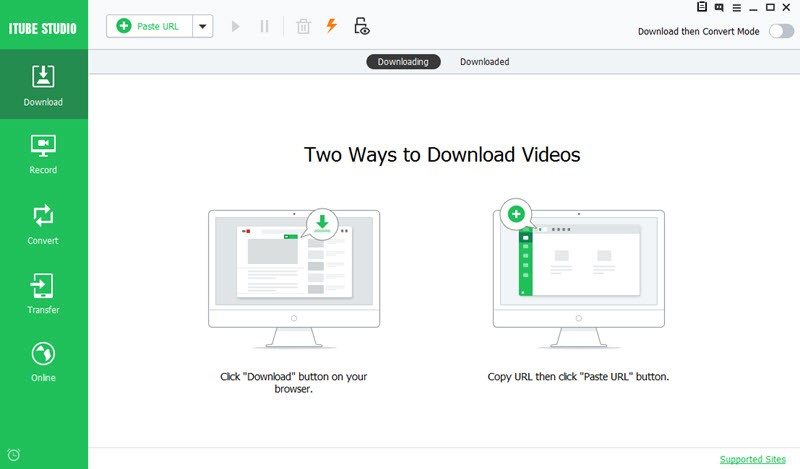
Among the leading YouTube playlist download tools, iTube Studio is considered as the most effective one. It supports single-click video playlist downloading and then you can move the videos to your mobile device. Whether you own a Mac or Windows computer, it can run smoothly over there to download YouTube videos. Online video recording, HD and 4K quality video download, and batch download of playlist etc. are supported by this application. Apart from that, you can even convert the videos with this tool efficiently. It supports a wide range of video streaming websites (over 1000 – Vimeo, YouTube and Dailymotion being the leading sites among them), which you can later transfer to your mobile device.
2. Gihosoft TubeGet
URL: https://www.gihosoft.com/free-youtube-downloader.html
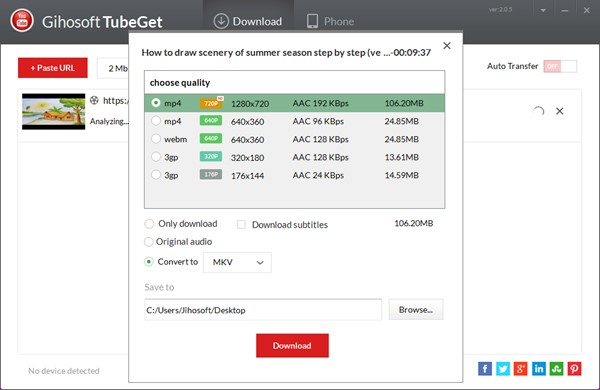
Another key player in this arena is TubeGet, a trusted YouTube playlist downloader, suitable for Windows computers. In a secure way you can download MP4 videos quickly from YouTube playlist. 4K and HD videos can also be downloaded with this tool. You can be assured of fast video downloading with tool. Apart from YouTube it also supports Vimeo, Tumblr playlists downloading.
3. 4K Video Downloader
URL: https://www.4kdownload.com/products/product-videodownloader
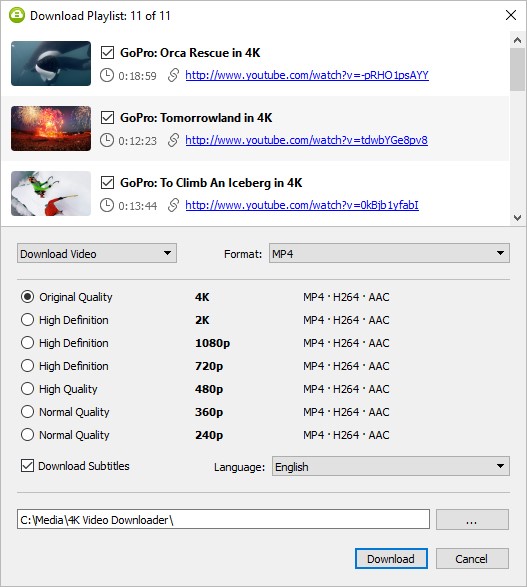
You can not only download YouTube playlists using this tool, but also videos, subtitles from various other websites as well. Vimeo, Facebook are few of the leading websites that it supports video and playlist downloading for. MP4 videos, FLV, MP3, MKV and plenty other formats are supported by 4K Video Downloader. If you have subscribed to any YouTube channel, then you can even enable auto-downloading for that particular channel.
How to download YouTube Playlist using iTube Studio over a Windows computer
Using iTube Studio for Windows you can easily download videos from your YouTube playlist, category and channel in multiple ways. Among the three popular ways, we are going to explain how to download streaming video playlist. It saves a lot of time, rather than downloading videos one at a time. Here comes the quick step guide:
Step 1: Download the iTube Studio software
First and foremost, get the software downloaded and installed on your computer or Mac. Launch the application on your system. Meanwhile, open YouTube on your web browser and then copy the YouTube Playlist’s URL.
Step 2: Paste the URL of your YouTube Playlist
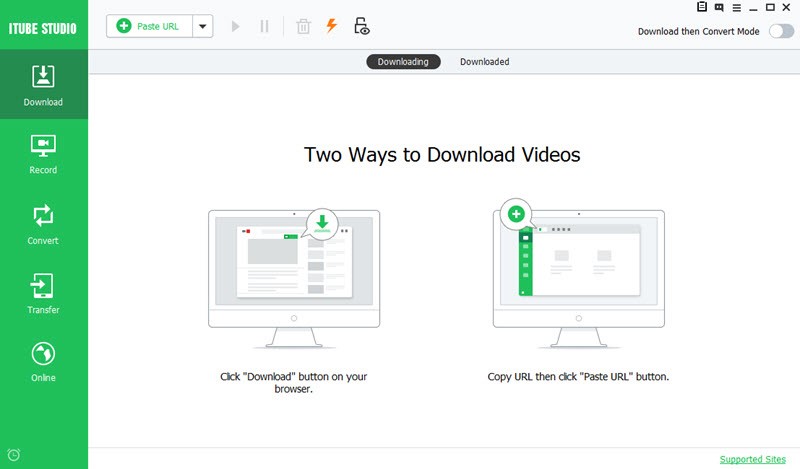
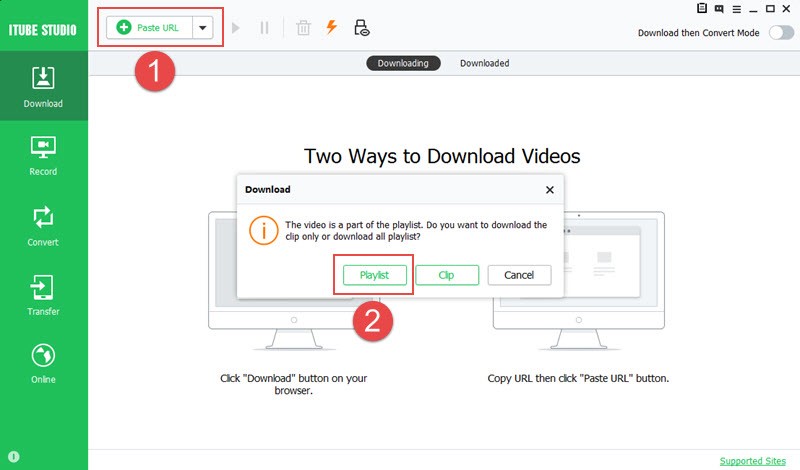
Now, go to iTube Studio interface and then hit on the ‘Download’ tab over the left panel. Tap on the ‘Paste URL’ button now. iTube Studio will recognize the YouTube playlist videos and prompt you for confirmation. Confirm it to begin the download.
Step 3: Download the desired YouTube playlist videos
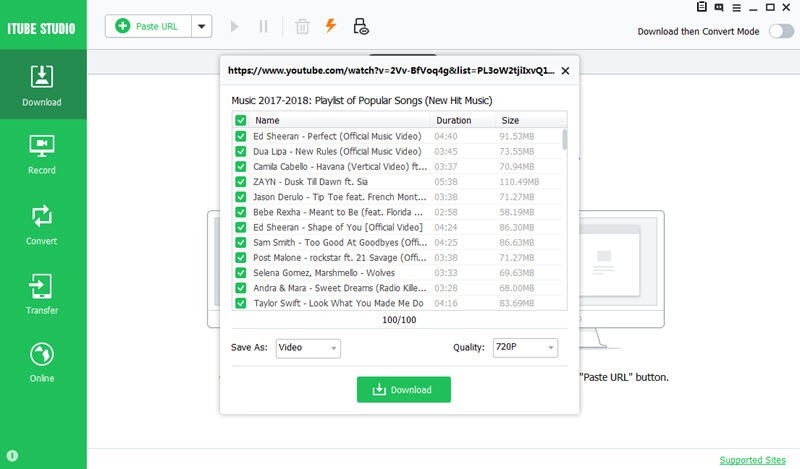
A popup window will ask you for choosing the videos from your YouTube playlist and fix the resolution of the video as well. Press the ‘Download’ button afterwards to get the desired videos downloaded in a batch.
Final Words
If you are keen on knowing more Youtube playlist downloader for your mobile devices, either Android or iOS. You can always browse the official website of iTube Studio to gain deeper insights about the program and review for other ways downloading YouTube videos. After you have downloaded the videos, you can later transfer them to your mobile phone to enjoy seamless video watching.